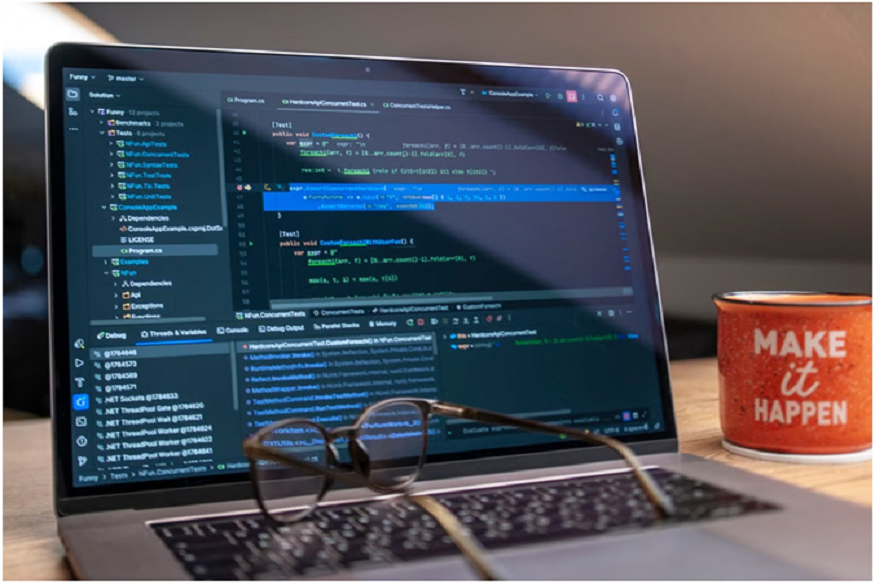

It is 11:00 PM on a Tuesday. You are sitting in front of a high-definition video course, watching an instructor smoothly type terminal commands into a pristine zsh prompt.
At 1.5x speed, it is poetry in motion. The instructor types git rebase -i HEAD~3, squashes two commits, cleans up a merge conflict in four seconds, and pushes to remote. You nod along. It makes total sense. You feel a surge of dopamine; you are learning! You close the browser tab, feeling like a master of developer tooling.
Fast forward to 2:00 PM the next day. You are working on a critical feature branch at work. You decide to try that interactive rebase you saw in the video.
You type the command. Your terminal suddenly locks up inside Vim. You don’t know how to save and exit. You press random keys, type :wq, and hit Enter, only for your terminal to scream in red text about a merge conflict in a file you didn’t even touch. Your prompt changes to (REBASE-i 1/3), and your local changes vanish.
Sweat breaks out on your forehead. The confidence you felt while watching the video 14 hours ago evaporates instantly. You don’t feel like a master; you feel like an imposter.
Read More: Why Customer Experience Is Becoming a Technology Career
Welcome to the Illusion of Competence, the fundamental flaw in how developers have been taught to master command-line interface (CLI) tools for the past decade.
The Illusion of Competence in Developer Education
In educational psychology, the Illusion of Competence occurs when a learner mistakes the recognition of information for the actual mastery of a skill.
When you watch an expert instructor run terminal commands in a pre-recorded video, your brain easily processes the visual and auditory information. Because the instructor executes the steps logically and without errors, your brain categorizes the task as “easy.” You recognize what they are doing, so you assume you know how to do it yourself.
This illusion works reasonably well for high-level conceptual topics. If you are learning the theoretical differences between REST and GraphQL, or trying to understand how an event-driven microservices architecture flows, passive video consumption is a great way to build mental models.
But for terminal tooling, Git, Docker, Kubernetes, Linux utilities, or modern AI CLI agents like Claude Code, passive video watching is almost completely useless.
Tooling is a tactile procedure. You cannot learn to play the piano by watching YouTube recitals, and you cannot learn to navigate a command line by watching someone else type into a terminal.
Why CLI Tools Break the Passive Learning Model
GUI applications give you visual affordances. If you forget how to perform an action in a visual editor, you can skim the drop-down menus, look at highlighted buttons, or hover over icons for tooltips. The interface guides your discovery.
The Command Line Interface has zero affordances. It is a blinking cursor sitting against a dark background, waiting for precise, syntax-sensitive input.
When you work inside a CLI, you face three unique friction points that passive videos completely fail to prepare you for:
1. High Cognitive Load Under Friction
In a terminal, a single misplaced hyphen, a missing trailing slash, or an unquoted path string turns a valid command into a syntax error. When a video instructor types a command, you see the successful output. You don’t experience the cognitive friction of diagnosing why your specific environment returned exit status 127 or command not found.
2. State-Dependent Behavior
CLI tools are state machines. The exact same command, for example, git checkout -, will produce entirely different results depending on where your HEAD is currently pointing, whether your working tree is clean, or whether an environment variable is set. A video shows you a single, linear progression from State A to State B. It rarely shows you what happens when you run a command in State C by accident.
3. The Terror of the Unknown State
When an IDE error occurs, you see a pop-up window with a “Cancel” button. When a CLI tool enters an unexpected state, like a detached HEAD in Git, a locked dpkg process in Linux, or a hanging container network in Docker, there is no “Cancel” button. If you haven’t built the tactile muscle memory to inspect and recover that state, your default reaction is panic.
The Missing Ingredient: Deliberate Failure Simulation
If passive watching creates a false sense of competence, what actually creates senior-level intuition? The answer is deliberate failure simulation.
Senior engineers don’t become proficient with CLI tools because they memorized man pages or watched hundreds of hours of tutorials. They become proficient because they have broken their local environments hundreds of times and were forced to debug their way out.
Consider how a traditional video course teaches Git merge conflicts versus how a developer actually experiences them:
- The Video Approach: The instructor creates two branches, edits line 5 in both files, runs git merge, shows the conflict markers <<<<<<< and >>>>>>>, opens VS Code, clicks “Accept Current Change,” commits, and moves on. Total time: 90 seconds.
- The Real-World Reality: You run git merge. Conflicts trigger across seven binary files and three configuration scripts. Your terminal prompt changes. You try to open the files, but your editor formats them incorrectly. You attempt to cancel, but run git reset –hard by mistake, wiping out your uncommitted changes.
When a learning platform only shows you the pre-scripted, happy path, it robs you of the most valuable part of the learning cycle: the recovery process.
To master a tool, you must be placed in a sandbox where you are encouraged to intentionally trigger errors. You need to intentionally break the build, cause a detached HEAD, orphan a Docker volume, or misconfigure a local environment, and then practice the exact diagnostic commands required to fix it.
The Power of In-Browser Interactive Feedback Loops
To bridge the gap between passive video watching and real-world engineering, the industry is shifting toward interactive, CLI-native learning environments.
Rather than watching an instructor type into a local terminal, modern learning systems embed real, isolated terminal runtimes directly inside the browser. As you read or listen to a concise conceptual breakdown, you are immediately challenged to execute real commands in a live terminal sandbox right next to the lesson.
This interactive feedback loop completely transforms the learning dynamic in three ways:
1. Instant Verification
Instead of assuming you typed a command correctly because it looked like what the instructor did, an automated evaluation engine checks your environment’s actual state behind the scenes. Did you actually rebase cleanly? Is your working tree truly clean? Did you stage the exact files requested? You get immediate, unambiguous feedback.
2. Zero Setup Friction
One of the biggest hurdles to learning complex tooling is configuring local environments, dependencies, and sample datasets. An in-browser terminal environment provides a pre-configured, isolated container in seconds. You can focus 100% of your cognitive energy on mastering the tool mechanics rather than fighting the local OS environment pathing.
3. Safe Failure Sandboxing
In an interactive browser terminal, the fear of breaking your actual computer or wiping out real production code disappears. You can run destructive commands like git reset –hard, rm -rf, or docker system prune without anxiety. If you corrupt the sandbox state beyond repair, a single click resets the container, allowing you to try again with zero consequences.
Platforms using this approach, such as Dometrain’s “Hands-On” course series, are built around this exact shift. In courses like Hands-On: Learn Git From Scratch, learning isn’t passive. You are dropped directly into a live, in-browser terminal where every single lesson requires you to execute real CLI commands, trigger conflicts, and complete capstone projects with instant automated validation.
How to Restructure Your Learning Strategy for Tooling
If you want to master CLI tools, frameworks, and infrastructure, it’s time to retire the passive “video bingeing” model. Here is how to restructure your learning workflow for maximum retention and real-world execution:
Read More: How Low Voltage Installers Help San Antonio Businesses Build Safer Network Infrastructure
- Follow the 20/80 Rule: Spend no more than 20% of your time consuming conceptual explanations (reading or watching) and 80% of your time executing commands in a live terminal.
- Seek Out Interactive Sandboxes: Prioritize learning platforms that offer live, in-browser terminal environments with instant automated feedback over static video libraries.
- Break Things on Purpose: When you learn a new CLI command, don’t just run it once and move on. Ask yourself: “What happens if I run this in the wrong directory? What happens if I run this mid-rebase? How do I undo this if it fails?”
- Build Muscle Memory for Recovery Commands: Don’t just memorize execution commands (docker run, git commit). Spend equal time mastering diagnostic and rescue commands (docker logs, git reflog, git status, git abort).
Stop Watching, Start Executing
The command line is the ultimate equalizer in software engineering. It doesn’t care about your job title, how many certificates you have on your LinkedIn profile, or how many hours of video tutorials you have watched. It only cares about the exact text string you submit before pressing Enter.
If you want to build the calm, unshakeable confidence that senior engineers possess when terminal errors strike, close the video tab and open the CLI.